Night DX Alarm: Sleep Well and Still Catch the Rare One
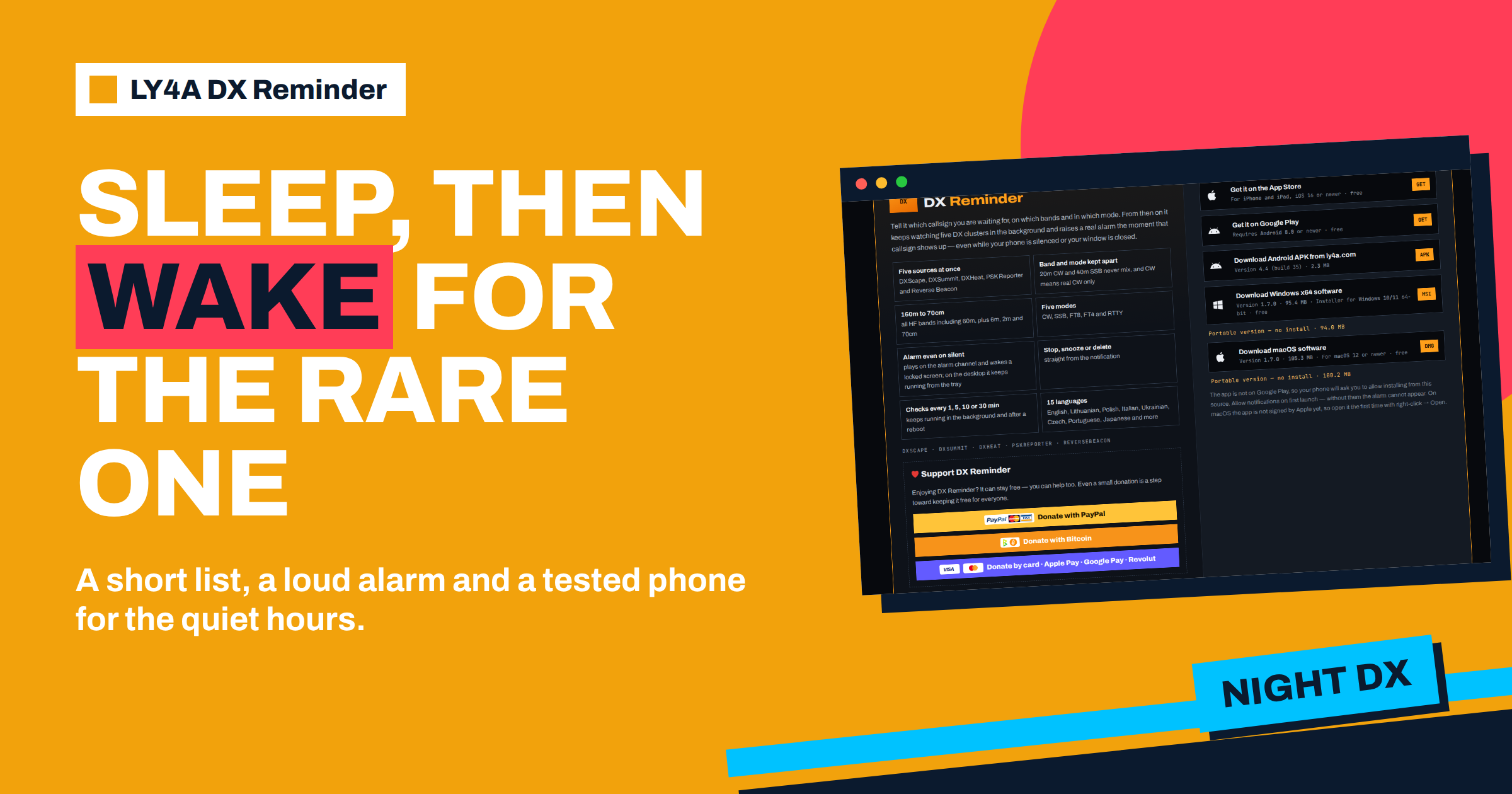
The best time for low-band DX is often the time when you should be asleep. On 160, 80 and 40 metres, the long paths to the far side of the world open around your local night and close before the morning. A rare station can appear at three in the morning for twenty minutes and disappear. Radio amateurs have two bad options: stay up and be tired, or sleep and miss it. A well-set night DX alarm gives a third one. You put a short list of stations that you really want into LY4A DX Reminder, you test the alarm and you sleep with the phone beside you. The alarm wakes you only for those stations. This guide explains how to set it up, which settings matter, how to avoid being woken for nothing and how to protect the sleep that makes the next day possible.
Why the Night Needs a Different Setup
During the day you can afford a long list and many alarms, since you are awake and near the radio. At night, every alarm costs sleep. If it rings ten times, you will turn it off by the third night, and the whole system is lost. The approach for night is therefore the opposite of the daytime one: fewer reminders, a narrower choice of bands, and a stronger alarm for the ones that remain. The aim is that when the phone rings at night, it is always worth getting up for. A false alarm is not just an annoyance, it is the reason that people stop using the alarm.
Step 1: Make a Short Night List
Start with the stations that justify waking up. Open your list of wanted entities, as in the article on the wanted list, and pick the few that you need most and that are likely to be on the air during the night. A good night list has the following properties:
- It is short. Three to five callsigns is a reasonable number. More than ten is almost always too many.
- It contains real needs. An entity that you need as a new one, or on a band where you are missing it, is a reason to wake up. A station that you have already worked on every band is not.
- It matches your antennas. If you have a good antenna for 40 and 80 metres but not for 160 metres, do not add 160 metres. An alarm for a band you cannot work is lost sleep for nothing.
- It matches the path. Think about where the station is. A rare Pacific station reaches Europe at a certain time of night on 40 and 80 metres, and an African one at another time. The articles on long-path and short-path DX and on the gray line explain the timing.
Step 2: Choose Bands and Modes for the Night
The app keeps bands and modes apart, so you can ask only for what you need. For the night, the usual choice is the low bands, 160, 80 and 40 metres, and sometimes 30 metres, which is quiet and open for long distances in the dark. The guides on 160 metres and 80 metres show what to expect. Choose the mode that you use: CW alone if you work CW, or CW and SSB if you do both. Remember that CW means real CW only, which saves you from digital spots that you do not want. A narrow choice means fewer alarms, and every alarm you remove is a night of sleep that you keep.
| Night setting | Recommended choice | Reason |
|---|---|---|
| Number of callsigns | 3 to 5 | Every alarm must be worth waking up for |
| Bands | 160, 80, 40 and perhaps 30 m | The bands that open for long paths at night |
| Modes | Only what you work | Fewer false alarms |
| Check interval on Android | Short, such as 1 or 5 minutes | The window may be only a few minutes |
| Alarm sound | Loud and distinct | It must wake you |
| Phone position | On the charger, near the bed | Battery and volume are not a risk |
Step 3: Prepare the Phone
An alarm that does not ring is worse than no alarm, since you believe you are covered. The settings of the phone decide whether the alarm wakes you. According to the project, the alarm plays on the alarm channel and wakes a locked screen, so it can sound even when the phone is silenced. Several things still need your attention.
- Allow notifications. Without them the alarm cannot appear.
- Allow the alarm permission. If the app asks for Alarms and reminders, allow it, otherwise the system can delay checks.
- Check battery saving. On Android, battery saving can pause the watching. The settings page of the app checks it and leads you to the right system screen, as described in the guide to the alarm on a silent phone.
- Check full-screen alarms. Android 14 and later give full-screen alarms only to apps that the system treats as alarm clocks. The app warns you if the phone is holding the alarm back.
- Look at the focus and sleep modes of the phone. Modes such as Do Not Disturb, Focus and bedtime schedules can change what is allowed to make a sound. The behaviour differs between phones, so test it, as the next section describes.
- Keep the phone charged. Put it on the charger at the bedside. A dead phone cannot wake anyone.
On an iPhone, the watching is done by the ly4a.com site, which sends the alarm as a push notification. The same advice about notification permissions and focus modes applies, and the article on how the push alerts work describes what happens between the site and the phone.
Step 4: Choose the Sound and the Buttons
You will hear this sound at three in the morning, so choose it with care. The Android app lets you pick one of the system alarm sounds, or any music file on the phone, and if the file is deleted later, the system sound comes back, so the alarm never goes silent. A sound that is clearly different from your normal wake-up alarm tells you at once that it is the DX alarm, and not the clock. The notification has its own buttons: Stop, Snooze and delete, which you can use without opening the app, so you can silence the alarm with one tap while you find your glasses. If the phone is paired with a watch, the spotter and the source travel with the notification, even though the watch does not show the buttons. The article on alarm settings describes the controls in detail.
Step 5: Test It Before You Rely on It
A night alarm must be tested in the conditions of the night. Put the phone in the position in which you will sleep, silence it as you do every night, lock the screen and let it sit for a while. Then trigger a test, using the method in the article on testing the alarm before the rare one. Does it ring? Is it loud enough to wake you from a distance of one or two metres? Does the screen wake? Do it again after restarting the phone, since the project says the app keeps running after a reboot, and you should see it for yourself. A test on the first night is a small effort that makes the next ten nights safe.
Step 6: Plan the Wake-Up
When the alarm sounds at night, you will be slow and confused. A plan helps. Decide in advance what you do. Stop the alarm, read the notification, which gives the callsign, the frequency, the mode and the spotter, and decide whether to get up. Keep the radio ready: the antenna selected, the transceiver set to the band that you expect, the logging program open, and a headset in reach. The article on the first 60 seconds after the alarm gives a routine that you can follow half asleep. If you decide not to get up, snooze or stop the alarm and go back to sleep, and look at the log in the morning.
Protecting Your Sleep
An alarm app is a tool for the hobby, and the hobby should not wreck your health. A few rules help.
- Do not use the night list every night. Switch it on for the nights when the target is likely, such as the days of an announced operation, and switch it off on other nights. Switching a combination off keeps its frequency and settings, which makes it easy to turn on again.
- Set a limit. Decide how many nights a week you are willing to be woken, and stick to it.
- Do not stay up for a spot that is not worth it. If the callsign is not one you really need, go back to sleep.
- Tell the people you live with. A loud alarm affects them too. A phone with a headset adapter or placed outside the bedroom door with a very loud tone may be a solution, as long as you can hear it.
- Take care with work and driving. Do not carry on if you are too tired to drive or work safely the next day.
The Morning After
After a night with an alarm, take a minute to learn from it. Look at the log and at the alerts that the app showed. Did the callsign you worked appear on the band you expected, at the time you expected? Was the alarm timely, or did the spot arrive after the opening was over? If you were woken and the station was not workable, note why: a weak signal, a huge pileup, a band that was closed. Over a few weeks these notes tell you which callsigns and which hours repay the effort. Also note how you felt. If the alarm is costing you more sleep than the hobby is worth, shorten the list or switch it on only for special nights. The goal is a sustainable habit. Many experienced DXers say that the contacts they remember best are the ones they made in the quiet hours, and a controlled alarm lets you keep those without paying for them with a week of tiredness. Good sleep habits and a reliable alarm are not opposed to each other, they support each other.
Timing the Night
The alarm tells you when a station appears, but knowing when to expect it helps you decide whether to wake. In winter, the long nights on the low bands are the best season for DX, as the article on seasonal HF propagation explains. The path to a distant place is usually best around the time that the darkness along the whole route is complete, and around your local sunrise or the target’s sunset when the solar terminator, the gray line, passes. If an expedition is on the other side of the world, the opening may be short, and a short checking interval is worth using. For a stable and common station, a long interval is enough, and you can rely on a spot appearing again.
The cause of most failed nights is not the app but the planning. A wake-up alarm for a station that cannot be heard in your location at that hour will ring in vain. Look at the path and the time before you add the callsign to the night list, and remove callsigns that are not likely to be heard from you.
The Bottom Line
A night DX alarm in DX Reminder works when it is short and certain. Keep a list of three to five real needs, watch only the low bands and the modes you work, choose a loud and distinctive sound, check the notification, alarm and battery settings of the phone, test it locked and silenced, and keep the phone charging by the bed. Switch the night list on for the nights that matter and off for the others, and decide in advance what you do when it rings. Done this way, the app lets you sleep through the quiet hours and wakes you for the rare one that is worth it.
Frequently Asked Questions
Will DX Reminder wake me when my phone is on silent?
The project says the alarm plays on the alarm channel and wakes a locked screen, so it can sound on a silenced phone. Test it with your own focus and sleep settings.
How many callsigns should be on a night list?
Three to five. Every alarm at night costs sleep, so each one should be a station that you really need and can work from your location.
Which bands should I watch at night?
Usually 160, 80 and 40 metres, and sometimes 30 metres, depending on your antennas and the paths to the targets. Do not add a band that you cannot work.
Can I stop the alarm without opening the app?
Yes. Stop, Snooze and delete are available straight from the notification, so one tap silences the alarm while you decide what to do.
What if the phone battery is low at night?
Charge it at the bedside. A phone that has run out of power cannot ring, so a charger beside the bed is part of the setup.
Can I turn the night list on only for some nights?
Yes. Switch the combinations off on the nights that you do not want to be woken. Switching off keeps their settings, so you can turn them back on later.